Editorial by Matt Palaszynski
Alissa got her first Dynavox about the year 2003. I remember it being heavy to carry around, not particularly intuitive to use, and very expensive. Fast forward to 2025- from the image below and from personal experience, the situation has not dramatically improved. Contrast that to the improvements in cell phone technology in the same time period and the difference is striking. This article will provide a reality check between the hype vs. lived experience of AAC devices.
This article will explore some of the reasons behind the slower improvements in AAC devices and also explore the “overly optimistic hype” that is often experienced when working with teachers or therapists with regard to AAC devices.
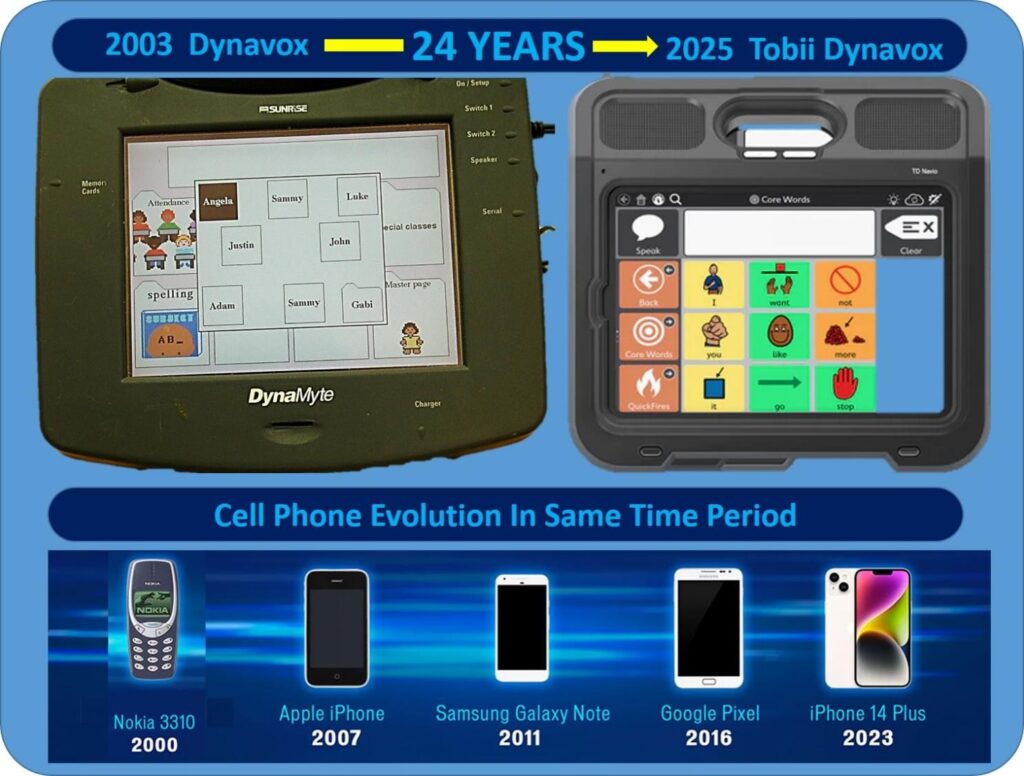
Scope of this article:
First off, this article is focused on the typical BRIGHT member- individuals with significant motor and/or cognitive challenges. For select individuals who have limited but fine motor control and are highly motivated, an ACC can be a game changer (an example might be someone like Stephen Hawking who lost his speech at age 43, retained his intelligence, and still had fine motor control in one finger). But for many who were brain injured at birth and have global deficits, the experience of using an AAC can be frustrating and underwhelming. Often this results in alternative means of communication such as simple gestures and grunts, being their preferred means of communication. This can be frustrating for professionals who are committed to showing progress in a teaching or therapy setting.
Overview of Augmentative and Alternative Communication (AAC) devices:
An Augmentative and Alternative Communication (AAC) device is a powerful tool designed to support individuals—especially children—who are non-verbal or have significant difficulties with spoken language. These devices provide alternative ways to express thoughts, needs, emotions, and ideas, helping bridge the communication gap between the child and the world around them.
- What Is an AAC Device? AAC devices range from simple, low-tech tools like picture boards and communication books to high-tech systems such as tablets or specialized speech-generating devices. At their core, AAC devices are designed to give children a voice when speech is limited or absent. For non-verbal kids, this can be life-changing. Instead of relying solely on gestures or facial expressions, they can use symbols, text, or synthesized speech to communicate clearly and effectively.
- Why Are AAC Devices Important? Communication is essential for learning, social interaction, and emotional development. When a child cannot speak, it can lead to frustration, isolation, and missed opportunities for connection. AAC devices empower these children by giving them a consistent and reliable way to express themselves. This not only enhances their ability to participate in school and social settings but also boosts their confidence and independence.
- How Do They Work? High-tech AAC devices often use touchscreens with customizable interfaces. Children can select images, words, or phrases that the device then speaks aloud. Some systems adapt to the child’s cognitive and motor abilities, offering eye-tracking or switch-access options. The goal is to make communication as intuitive and accessible as possible, tailored to each child’s unique needs.
- Who Benefits from AAC? AAC devices are used by children with a wide range of conditions, including autism spectrum disorder, cerebral palsy, Down syndrome, and developmental apraxia of speech. They are not a “last resort” but a proactive solution that can be introduced early to support language development and interaction.
Professional Hype vs User/Parent view of AAC devices:
Every year or so we try to take Alissa to a new speech pathologist just to get a fresh perspective and see if there is anything new in the field. Almost like clockwork, and often with a slightly patronizing tone, we are asked “why is she not using an AAC device”? Our halting reply is “Alissa chooses not to use an AAC”. Then in the course of the next 30 minutes Alissa proceeds to flirt with the handsome therapist, express her grief over her recently deceased grandfather, and show her excitement of the idea of eventually fleeing her nest for an independent life. All of that is done with very limited sign language, simple gestures and facial expressions. As her parents, we understand all of it instantly. The therapist, who is used to this type of interaction, picks on 80% even without our help. With our help, Alissa expresses very complex thoughts and has grown dependent on us being there as her AAC device. That’s not idea for Alissa or for us, but it is the Alissa’s fastest and most effective means of communication.
Core Point: AAC Often Fails to Deliver Spontaneous Conversation
I am not saying AAC is useless in every context. I am saying:
- It’s too slow for real-time, spontaneous conversation.
- It’s too limited in expressive range—especially for poetic, metaphorical, or emotionally nuanced speech.
- The marketing around AAC often over-promises and under-delivers, especially when it comes to actual users in unscripted, back-and-forth dialogue.
Many AAC systems are still stuck in a transactional mode: “I want juice,” “I’m tired,” “Bathroom.” That’s not conversation—it’s survival communication.
What does real world use look like?
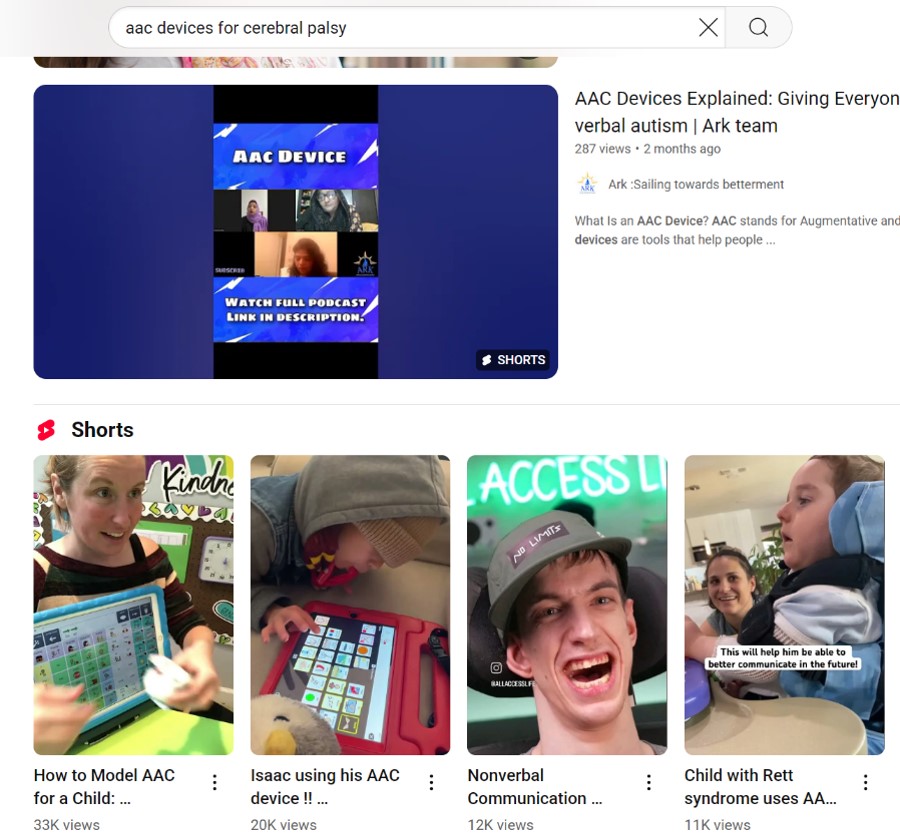
I did a YouTube search of AAC devices and in the Top 100 videos sorted for both “most relevant” and “most recent”. I did not find one single video showing a 5-10 minute unedited clip of an AAC user navigating a real social situation. Even the parent or user uploaded videos were heavily edited and did not show the mistakes, the pauses, the corrections, or emotional nuance—not just “I’m sad,” but “I feel left out because no one invited me.” I did this analysis because I felt, “my family must be doing something wrong with Alissa, this must be our problem”. But this analysis of the top 200 videos on YouTube on AAC’s seems to prove we are in the majority of users.
Insistence on device usage:
We have experienced push back in the past from professionals who have suggested a form of “tough love” to force the use of an AAC. For example, if they want use the toilet, don’t recognize that request unless they ask for it on the AAC. However, we have to remember that this is our child’s voice, not just another tool for a therapist. Just like we wouldn’t put our child in a wheelchair and then demand they wheel themselves three miles every day or perform tricks with it, we shouldn’t force the AAC device on them. And if they’re verbally stimming or just being “annoying,” we don’t cover their mouths—so we shouldn’t take away their device or ignore them when they use it in unexpected ways.
Getting used to a new communication method takes time. It can be confusing and frustrating for a child whose whole world of expressing needs suddenly shifts. Imagine being told, “Stop using your voice and use this gadget instead—or we’ll pretend we don’t understand you.” How would we feel? When parents respond only to the device, kids learn to dread it. That’s why insisting on device-only communication makes them resist it every single time.
When our child is sick, scared, or overwhelmed, we don’t shove the AAC in their face and say, “Ask for a hug.” They reach for us as they always have. If they’ve had an accident, we help them without making them say “I need new pants” on the screen while they’re crying. If they begin spinning or engaging in any other self-stim, we don’t interrupt the moment and require them to request permission to spin. No one who speaks verbally has to announce every single action, and our kids shouldn’t either.
Keeping our existing bonds intact is crucial. The device should enhance connection, not block it. We have to put ourselves in our child’s shoes—how would we feel if we had to type “I’m hurt” before someone acknowledged our pain? Or request permission for a hug? We need to preserve those natural, nonverbal ways of reaching out alongside the AAC.
And when our child communicates, we celebrate it. If they communicate something with gestures or a glance and we understand, we shouldn’t ignore them and push the device.
At the end of the day, our child’s needs come before any need to show progress in a classroom or gaslight by using a cumbersome device. It’s our decision as parents how and when the device is used. The AAC is our child’s voice first, and it must be treated with respect—including honoring their impulse to point, reach, or otherwise communicate without it. After all, as adults we can often tell when something’s wrong just by looking at someone’s face or posture; children deserve that same intuitive connection.
Where Do We Go From Here?
I am not just critiquing AAC—I am challenging the entire framework of how we define communication for nonverbal individuals. Maybe the goal shouldn’t be to mimic spoken language perfectly. Maybe it’s about creating new modes of expression that embrace slowness, visual metaphor, or collaborative meaning-making.
Recent progress of AAC devices:
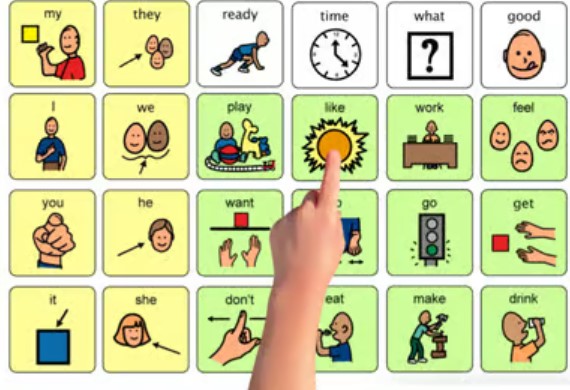
- Core Vocabulary Systems: Instead of hundreds of icons, users rely on a small set of high-frequency words (like “go,” “want,” “like,” “this”) that can be combined quickly to express complex ideas. These systems are designed for speed and flexibility.
- Predictive Text & Word Prediction: Just like your phone keyboard, AAC devices now use algorithms to suggest words and phrases based on context. This drastically reduces the number of selections needed.
- Customizable Phrases: Users can store personalized phrases—like compliments, jokes, or poetic expressions—and trigger them instantly. These aren’t generic; they’re tailored to the user’s voice and personality.
- Eye-Tracking & Gesture Control: For users with limited mobility, eye-tracking tech allows rapid selection of words or phrases, often faster than typing.
In the future, BRIGHT plans to explore alternative models—like gesture-based systems, wearable tech, or even AI-assisted conversation partners—that might actually meet the bar that Alissa, and others like her, are setting before they embrace an AAC.